Follow these steps to add your Scouts NSW email account to your iPhone Mail App
- Go to Settings

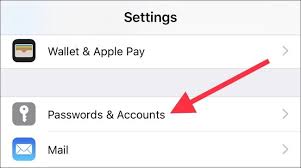
- Scroll down until you see Passwords & Accounts and tap it
- If you already have your Scouts NSW email account listed, click on it and Delete it from the iPhone.
Otherwise click on Add Account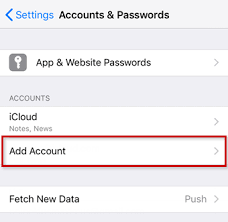
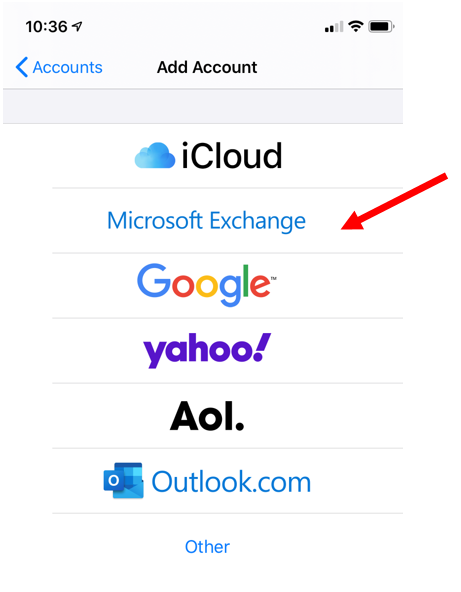
- Select Microsoft Exchange
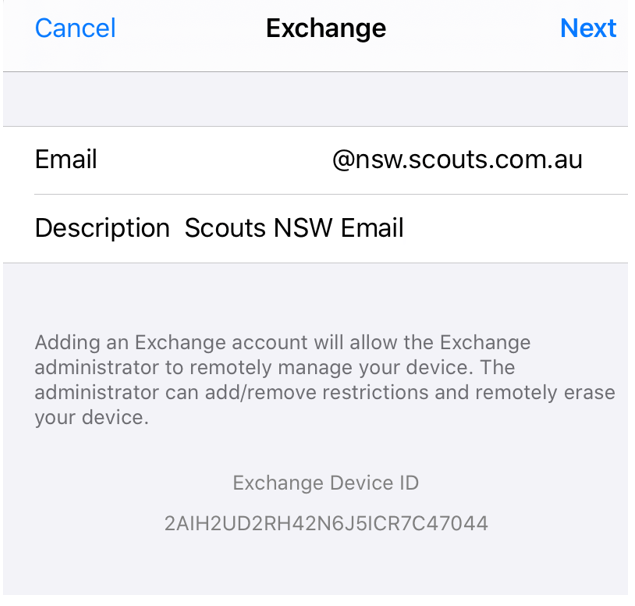
- Enter your Email address and a description of the account
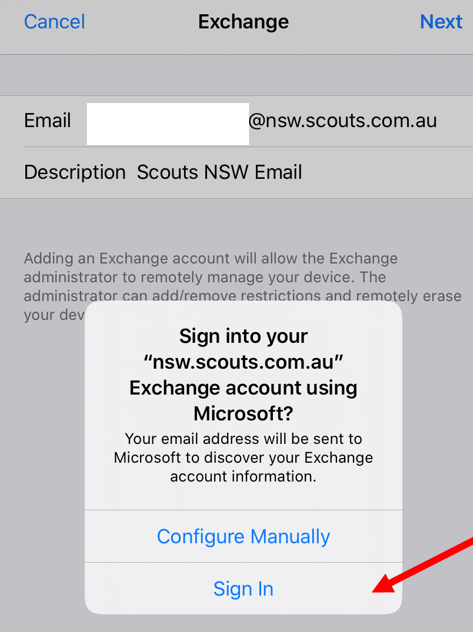
- At this screen select Sign In
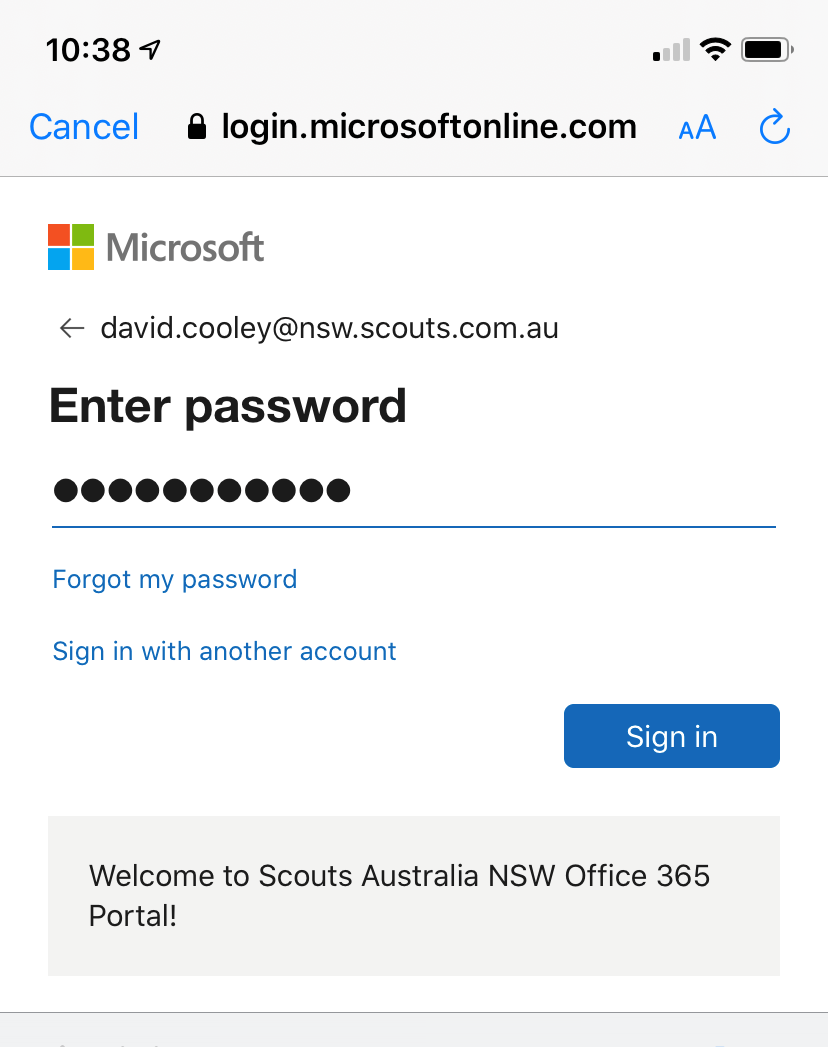
- At this screen, enter your password and press Sign In
- That's it, you now have your Scouts Email account set up in your Apple iPhone Mail App