If have previously set up the Password Recovery Option follow these steps to gain access to your account
Logon to your email account via the Web Portal
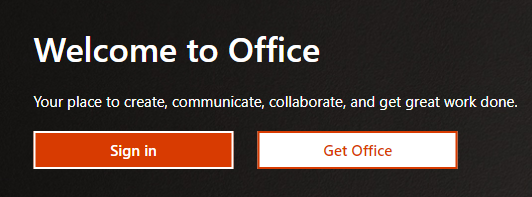
- Go to www.office.com and select Sign In
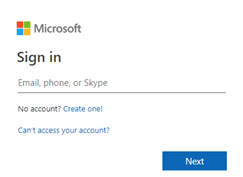
- Enter your Scouts NSW email address (firstname.lastname@nsw.scouts.com.au) and press Next
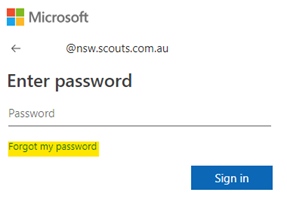
- Click in Forgot my password
- You will be redirected to a new website
https://passwordreset.microsoftonline.com/ - Your email address should be displayed in the User ID box
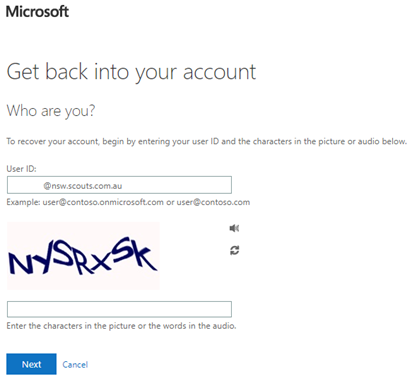
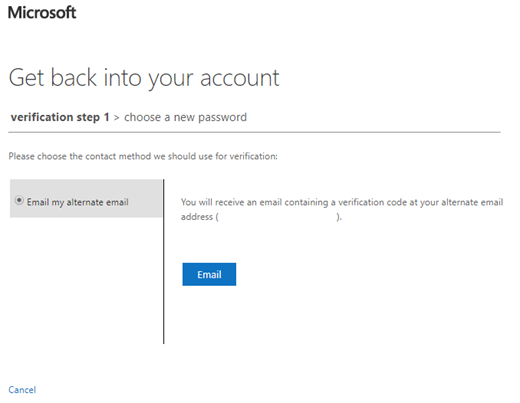
Enter the characters in the picture and press next - Depending on the method, you set up you will get a message advising where to get your recovery code. In this example, email has been set up. Press Email and check your email address listed as your recover email.
- Check your recover email for an email from Microsoft
It should look like this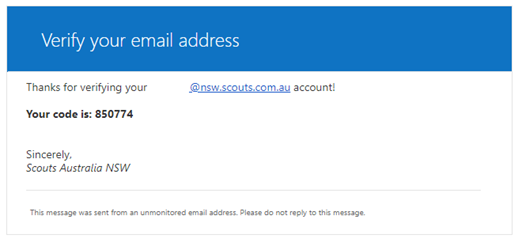
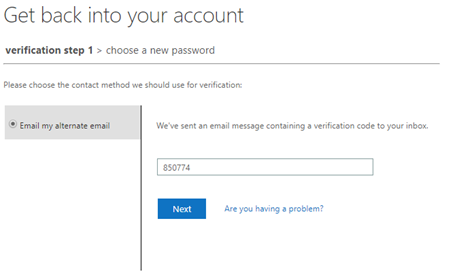
- Go back to the Office website and enter the code and press Next
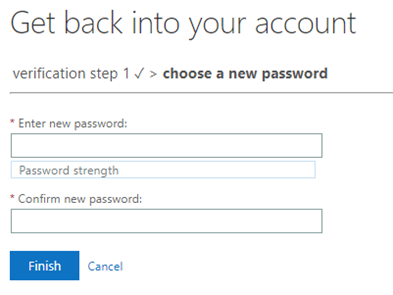
- Now enter your new password on this screen
- You can now logon to your account as per normal